1. Why Are ISP Support Calls So High?
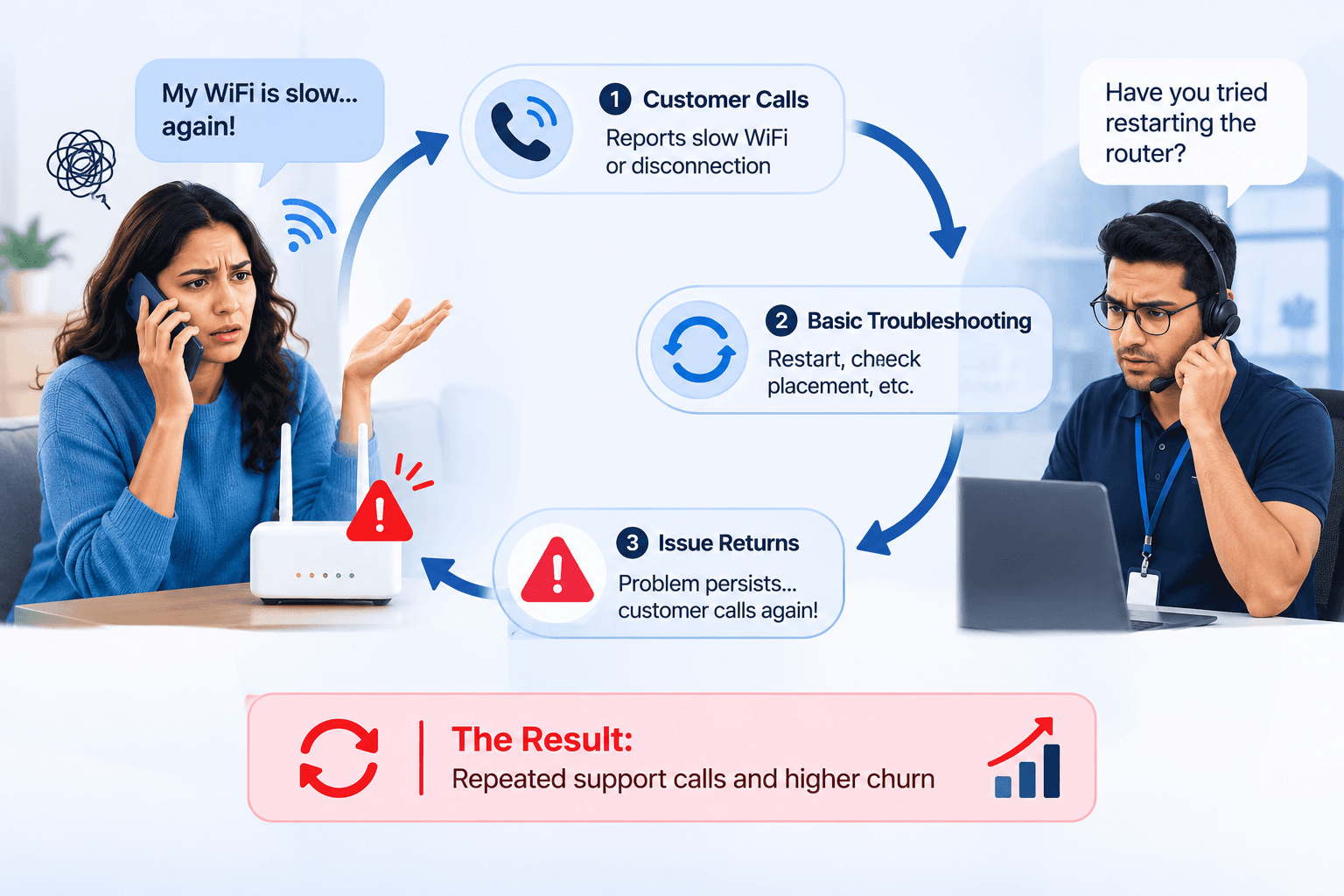
Every ISP knows the pattern: a customer calls and says, "My WiFi is slow." The team spends 20 minutes troubleshooting, restarts the router, and the customer calls again tomorrow with the same issue.
It is not necessarily the team's fault. Teams cannot fix what they cannot see. Many ISPs assume they have a staffing problem when they may have a visibility problem.
- No root cause, only symptoms: The NOC sees "Device Offline" or "Internet Down," but cannot tell whether the cause may be WiFi interference, a weak signal, or a router issue. Without context, the team has to investigate and guess.
- Every call starts from zero: Without access to historical device health and incident data, calls can repeat the same basic troubleshooting, such as asking the customer to restart the router.
- The symptom gets fixed, not the cause: A restart may restore service temporarily, but if the underlying issue remains, the customer may call again.
The result
Support teams spend valuable time investigating recurring issues instead of resolving the underlying problems. Better visibility, AI-powered root-cause analysis, and suitable automated actions can help change that pattern.
2. Step 1: See the Problem Before the Customer Calls
Do not wait for a support call to find out there is a problem. Monitor connected devices and their health so the NOC can investigate potential issues before customers report them.
- Identify devices experiencing connectivity issues.
- Find routers or other devices showing unusual performance patterns.
- Recognize customers who may be experiencing recurring service problems.
Give the NOC useful device visibility
With better CPE (Customer Premises Equipment) monitoring and device visibility, your NOC team can identify potential issues before customers report them.
3. Step 2: Give Your Team the Root Cause in Plain Language
Stop giving your team raw logs. Give them actionable insights.
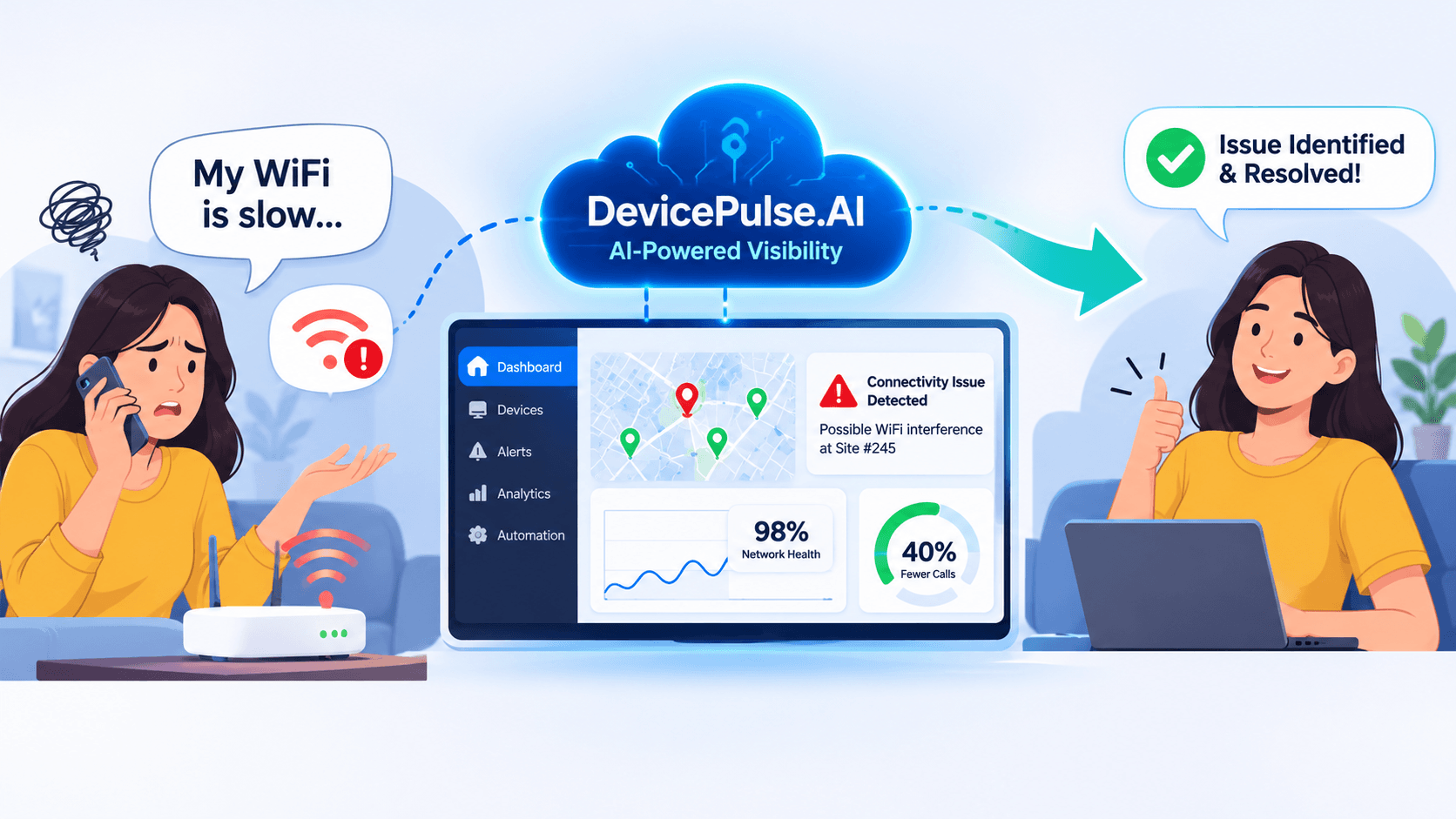
Instead of "Error: Unusual network performance detected," give them: "Possible connectivity issue detected. The device is experiencing repeated connection drops. Further investigation is recommended."
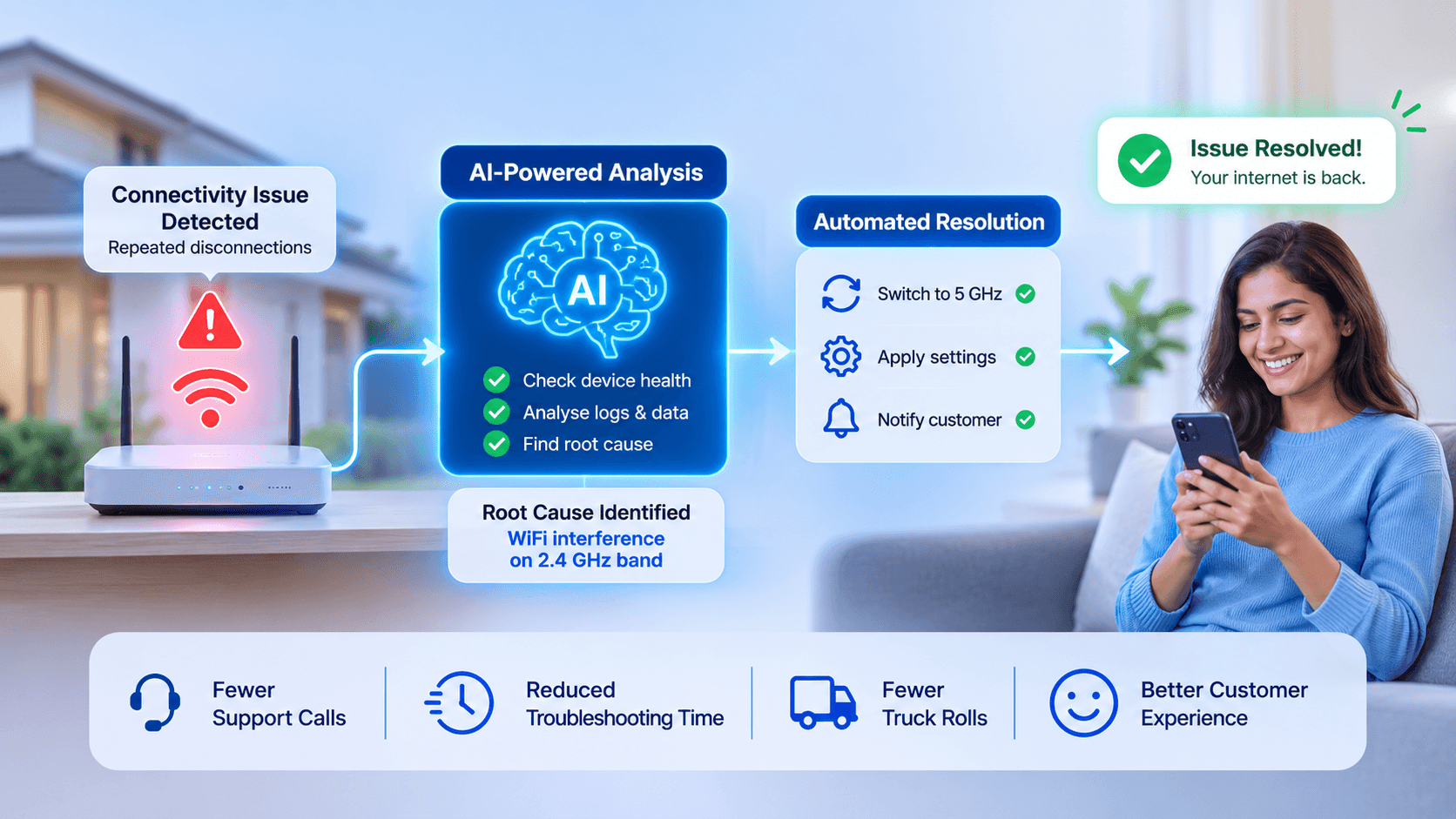
DevicePulse.AI correlates device telemetry, connectivity events, logs, and historical data to identify potential root causes and translate technical information into actionable insights for support teams.
4. Step 3: Automate Common Issue Resolution
Automation can make a significant difference. Many recurring IoT and network-related issues can be addressed remotely through automated actions, reducing the need for manual troubleshooting.
DevicePulse.AI uses AI-driven intelligence and API-based integrations to help initiate corrective actions for supported issues. Instead of manually investigating every incident, teams can use automated workflows to address identified problems, reduce repeat troubleshooting, and improve operational efficiency.
5. What Can ISPs Achieve With Better Visibility and Automation?
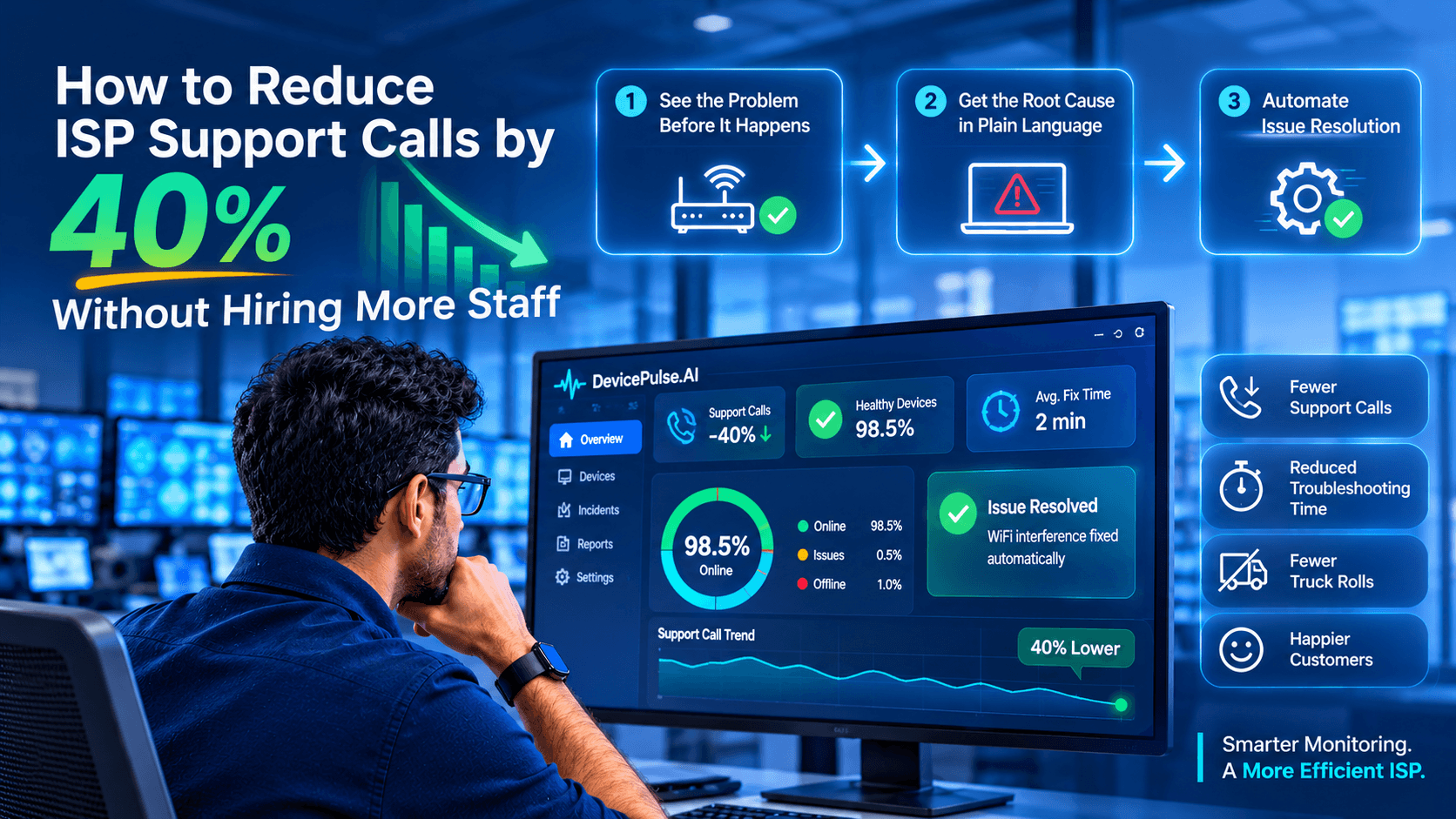
With improved device visibility, AI-powered diagnosis, and automated resolution, ISPs can work toward:
- Fewer support calls by identifying and addressing issues before they generate customer complaints.
- Reduced troubleshooting time by giving support teams clearer insight into potential root causes.
- Fewer truck rolls by resolving more issues remotely where possible.
- A better customer experience through fewer recurring problems and improved service reliability.
Keep your existing infrastructure
You do not need to replace your existing infrastructure. DevicePulse.AI works alongside existing IoT platforms and data systems, adding an AI-powered intelligence layer to your operations.
6. Improve Visibility Before Adding More Staff
If your support team is overwhelmed, hiring more people is not always the first answer. Improving visibility and troubleshooting is a good place to start.
When your team can identify potential root causes faster and automate suitable corrective actions, it can reduce repeat troubleshooting, improve operational efficiency, and deliver a better customer experience.